



When lights start flickering in a house, it’s easy to shrug it off until it happens again and again.
I’ve seen how a small flicker can hint at something deeper, from a loose connection to a wiring problem that needs quick attention.
The truth is, every flicker has a reason, and finding it early can save you time, money, and peace of mind.
In this guide, I’ll walk you through the most common causes, how to troubleshoot them safely, and when it’s time to call a professional. By the end, you’ll know exactly what your lights are trying to tell you.
Multiple Lights Flickering in House: Common Reasons
Most of the time, flickering lights aren’t as serious as they seem. Many issues are quick to check before calling in an electrician.
1. Loose or Aging Bulbs
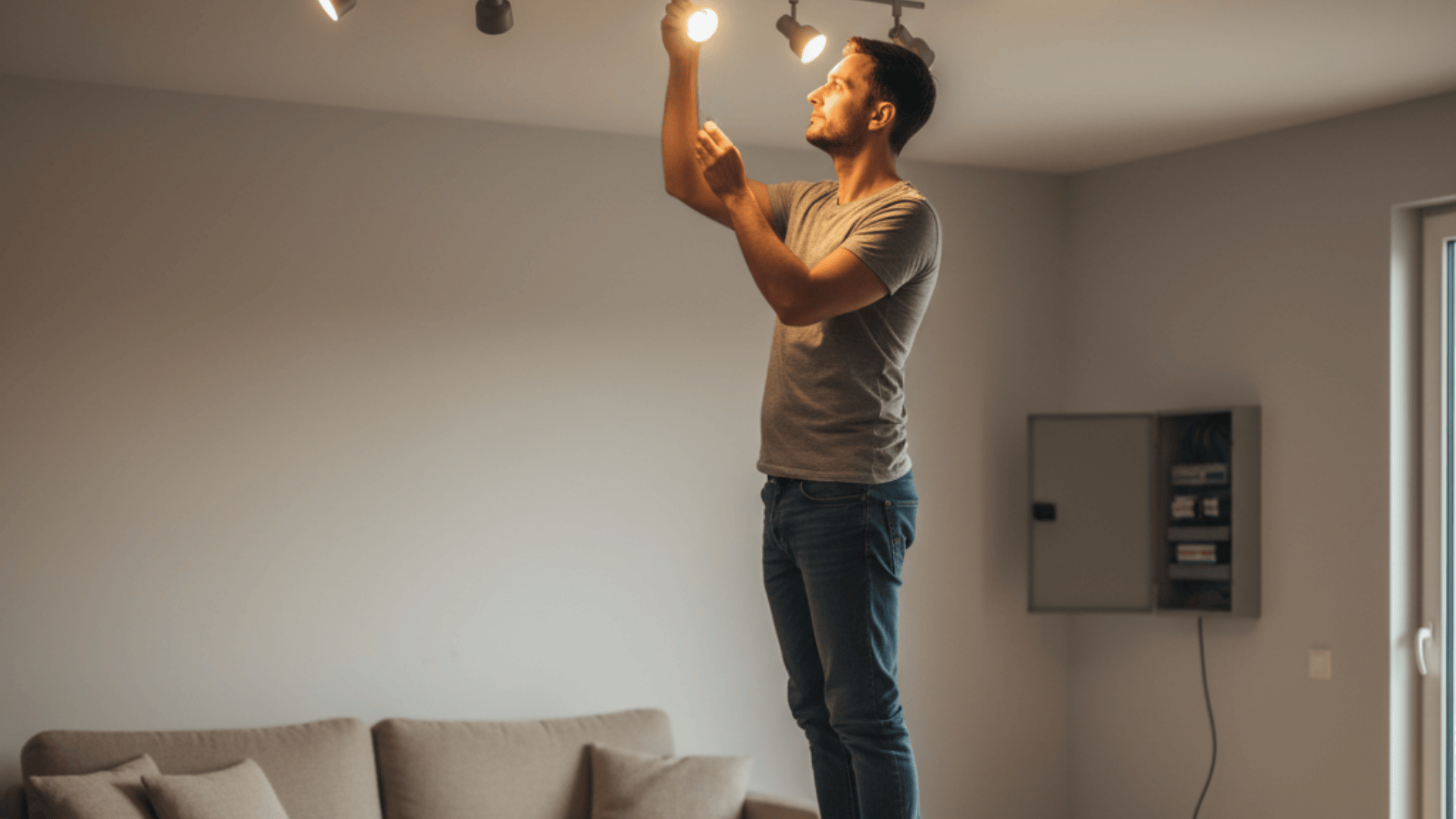
I’ve seen many cases where the cause was just a loose bulb. When a bulb isn’t screwed in tightly, it can lose contact and flicker. Over time, vibration or wear can also make the socket connection weak.
If you notice this, switch off the light, tighten the bulb gently, and see if it steadies. If it keeps flickering, replace it with a new one. That small step often solves it.
2. Incompatible or Faulty Dimmer Switches
Some dimmer switches don’t work well with LED bulbs. You might see flickering when you dim the lights or turn them on. In my experience, this happens because the dimmer isn’t designed for modern bulbs.
Check your bulb’s packaging for “dimmer compatible.” If not, replacing the dimmer with one rated for LEDs will usually stop the flicker.
3. Overloaded Circuits
You may notice lights dimming or flickering when the AC, microwave, or another big appliance starts up. That usually means too many things are drawing power from the same circuit.
Try running fewer heavy appliances together. If flickering keeps happening, the circuit might be overloaded and should be checked by a professional.
4. Loose Wiring or Bad Connections
This one deserves special care, Master. Loose or damaged wiring is a serious matter. I’ve noticed that when lights flicker across several rooms, it can point to a loose wire in the panel or junction box.
Such issues increase the risk of overheating or even fire. If you suspect bad wiring, please don’t attempt to fix it yourself; call a licensed electrician right away.
5. Voltage Fluctuations or Utility Problems
Sometimes, the problem isn’t inside the house at all. Voltage drops or surges from the main power supply can make lights flicker across the entire home.
You can ask your electrician to test the voltage levels. If it’s irregular, your utility company may need to inspect their supply line.
6. Aging Electrical Panels or Wiring
Older homes often have wiring or panels that simply can’t handle modern power demands. I’ve seen panels that buzz, feel warm, or smell faintly burnt; all warning signs.
If your system is decades old, it’s best to have it inspected. An upgrade might be necessary to keep everything safe and reliable.
7. LED-Specific Flickering
LED lights bring efficiency, but they also come with their quirks. Some cheaper LEDs use weak internal drivers, causing flickering or delay. Others flicker when paired with smart switches or Wi-Fi dimmers.
To fix it, choose high-quality bulbs and make sure they’re compatible with your switch type. It’s a small investment that saves much frustration.
How to Troubleshoot Safely (DIY Guide)
Before you call an electrician, there are a few simple things you can check yourself. These steps help you find what’s wrong without taking unnecessary risks.
- Tighten or replace bulbs: Turn off the light and make sure the bulb is screwed in properly. If it still flickers, replace it with a new one. A loose or worn-out bulb is often the easiest fix.
- Test a different bulb type: Try another brand or type, especially if you’re using LEDs. I’ve seen lights stop flickering instantly after switching to a better-quality or compatible bulb.
- Check if it’s one light or the whole house: Turn on a few lights around your home. If only one flickers, it’s likely a small issue with that fixture. If several flicker, it might be a wiring or circuit problem.
- Watch for appliance interference: Notice if your lights flicker when big appliances start up, like your AC, fridge, or washing machine. That usually means the circuit is overloaded and needs attention.
- Inspect your breaker panel: Take a careful look at your breakers. If one feels loose, hot, or makes a buzzing sound, don’t touch it. That’s a sign to call a professional right away.
If This, Then That: Checklist
Use this simple guide to spot the problem faster:
Only one light flickers: Loose bulb or bad socket.
Multiple rooms flicker: Likely a wiring or panel issue.
Lights flicker when appliances run: Circuit overload.
LEDs flicker randomly: Incompatible bulb or dimmer.
All lights flicker at once: Possible voltage drop or utility issue.
If none of these match what you’re seeing, Master, it’s safest to call a professional. Electrical issues can worsen quietly over time, and a quick inspection can prevent bigger problems later.
When to Call an Electrician

- Flickering happens in multiple rooms: If several lights flicker at once, it could mean a loose main connection or an issue inside your electrical panel. That’s not something to ignore.
- You hear buzzing or see sparks: Buzzing, popping, or tiny sparks mean electricity isn’t flowing properly. In my experience, that usually points to a bad connection or worn-out wiring that needs immediate attention.
- Circuit breakers trip often: When breakers trip repeatedly, it usually means a circuit is overloaded or a breaker is failing. Both are signs your electrical system needs professional service.
- Burning smell or hot switch plates: Heat, smoke, or burning odors are urgent warnings. Turn off the power to that area right away and call an electrician. It’s a clear fire risk.
- You have aluminum or cloth wiring: Older wiring types can loosen over time and cause flickering or heat buildup. They’re not safe by today’s standards and should be inspected or replaced.
- Repair cost estimates: Minor fixes like tightening panel connections or replacing a breaker can cost around $100–$300. Larger repairs, such as rewiring circuits or upgrading panels, may range between $500–$2,000 depending on the issue.
If you ever feel unsure, it’s better to call a professional sooner rather than later. A quick inspection can protect your home, your family, and your peace of mind.
Safety Risks of Ignoring Flickering Lights
It’s easy to ignore flickering lights, but doing so can lead to serious problems.
Loose wires or bad connections can overheat and cause electrical fires or shocks. The unstable voltage behind flickering can also lead to damaged appliances like TVs, fridges, and computers over time.
I’ve seen homes where a small, occasional flicker ended up burning wire insulation inside the walls.
There’s also the issue of insurance; if a fire starts because of an unfixed electrical problem, your policy might not cover it. That’s why it’s always safer to treat flickering as a warning sign rather than an inconvenience.
Preventing Future Flickering

Once the flickering stops, it’s worth taking a few steps to keep it from coming back. Preventing electrical problems is always easier and cheaper than fixing them later.
Use surge protectors to shield your lights and appliances from sudden power spikes. Even a small surge can wear down wiring over time. I’ve seen homes where adding a good surge protector made a noticeable difference.
Schedule annual electrical inspections to make sure your wiring and panel connections stay tight and safe. A quick professional check each year helps catch loose connections or aging components before they cause trouble.
If your home still has old wiring or panels, think about upgrading. Modern electrical systems handle power more efficiently and reduce the chances of flickering or overheating.
And finally, always choose high-quality LED bulbs and dimmers. Cheaper ones may save money upfront, but tend to fail faster and flicker more often.
Quality bulbs and compatible dimmers keep your lighting steady and reliable. A little prevention goes a long way.
LED and Smart Bulb Troubleshooting
Smart lighting brings convenience, but it also adds a few new reasons for flickering.
Wi-Fi dimmers, smart switches, and connected hubs sometimes interfere with LED bulbs. They send small electrical pulses or signals that cause lights to blink or dim unexpectedly.
If that happens, start simple. Turn the light off, wait a few seconds, then turn it back on. If the flicker remains, reset the bulb or the smart switch using the steps in the manufacturer’s app or manual. A quick firmware update for your hub or dimmer can also help.
Compatibility matters just as much. Not every LED works smoothly with every dimmer or smart device. Before buying new bulbs, check the product details or manufacturer’s compatibility list online.
Look for LEDs labeled “smart compatible” or “dimmable.”
Choosing high-quality bulbs and keeping your smart system updated solves most flicker problems. Once everything matches correctly, your lighting will stay steady, reliable, and hassle-free.
Wrapping Up
Flickering lights in a house might seem minor, but they’re often your home’s way of asking for attention. The cause can be as small as a loose bulb or as serious as aging wiring that needs replacement.
I’ve learned that addressing small electrical problems early keeps everything safer and more efficient in the long run.
Regular maintenance, quality lighting, and timely inspections are the best ways to prevent future issues.
If your lights continue to flicker or you’re unsure where to start, schedule a quick visit with a licensed electrician today; it’s a simple step that protects both your comfort and your home.